
Rapid Admin Panel Development in Laravel Using Filament

Every serious web application eventually needs an admin panel, a place to manage records, review data, and handle day-to-day operations. The problem is that building one from scratch means writing the same CRUD forms, tables, and validation logic over and over again for every resource in your database. Filament solves this by generating a fully […]

Setting Up a Modern Laravel Project: Filament, Boost, Reliese, and Shield

Starting a new Laravel project usually means the same routine: install the framework, wire up an admin panel, generate models from a database, and set up roles and permissions, all before writing a single line of real business logic. This setup walks through a stack of four packages that automate most of that routine, along […]

5 Laravel Eloquent Tricks That Cleaned Up My Codebase

When I started working with Laravel on real projects which introduced juggling multiple stakeholders, admin panels, and third-party integrations, I noticed my controllers and models slowly turning into a mess of repeated queries and bloated conditionals. Eloquent is powerful, but it’s easy to use it in ways that just barely work instead of ways that […]

How to Limit WSL 2 RAM, CPU using .wslconfig

WSL 2 makes it easy to run Linux directly inside Windows, but if you use it for development, Docker, databases, builds, or other heavy workloads, you may notice that WSL can consume a significant amount of your system resources. Fortunately, WSL 2 allows you to control how much RAM and CPU it can use through […]

How to Securely Copy Files Between Local and Remote Systems
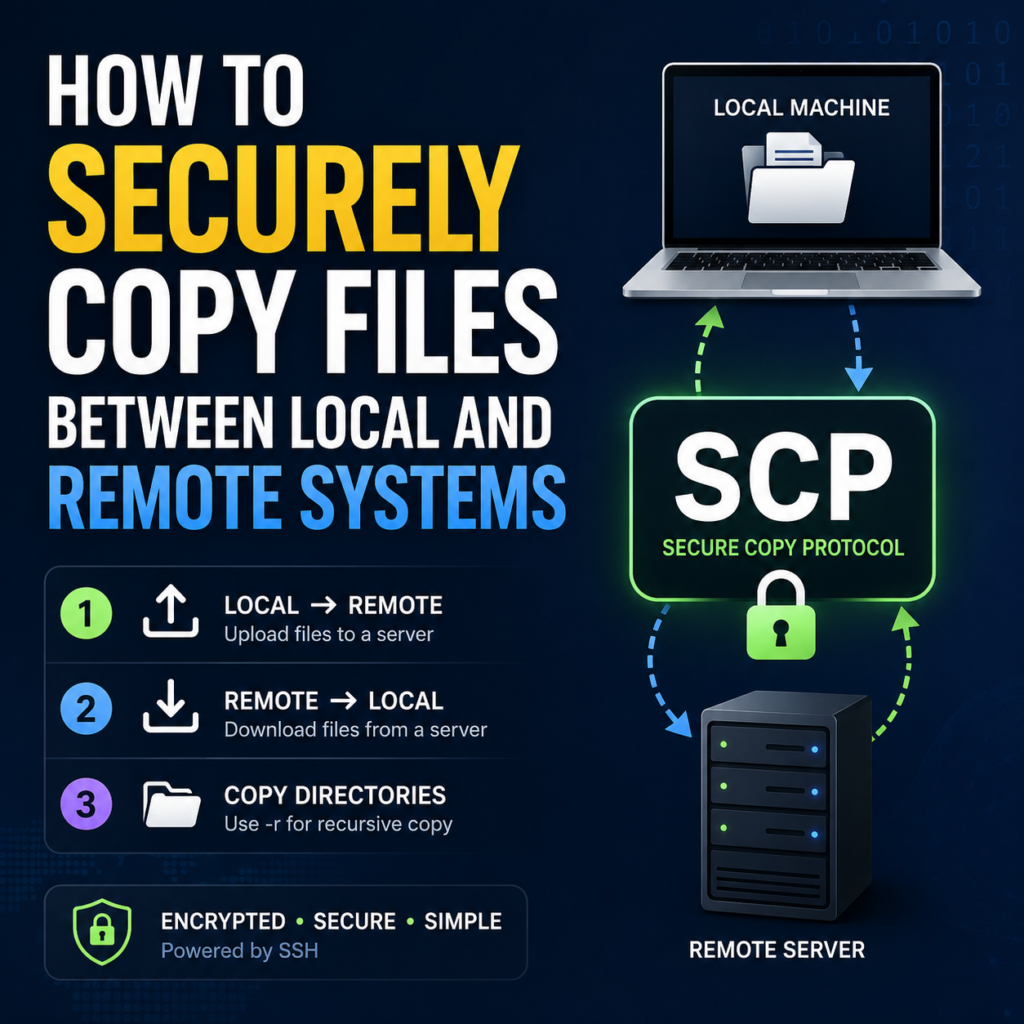
If you work with remote servers, sooner or later you’ll need to move files between your local machine and a server or between two servers. One of the simplest, most reliable tools for this is SCP (Secure Copy Protocol). SCP rides on top of SSH, which means every transfer is encrypted and authenticated the same […]

Exposing Localhost to the Internet: Using ngrok to Test Midtrans Webhooks

Ngrok

Payment gateway integrations almost always need a real, publicly reachable URL. It can’t use localhost:8000 because the gateway itself calls your server to confirm a payment happened. While building payment handling for my project using Midtrans’s sandbox environment, I hit exactly that wall, and ngrok was the fix. The Problem Midtrans (like most payment gateways: Stripe, Xendit, etc) […]

Compressing Images Before Storage in Laravel

Spatie's Github Thumbnail

When users upload images to a web app, raw uploads can easily be several megabytes each. Multiply that by hundreds of uploads and you’ve got a storage and bandwidth problem. Pages load slower, backups get bigger, and hosting costs climb. The straightforward way to fix it is by compressing images before they hit storage, not after. This […]

What Are Domain, Hosting, and Server? A Beginner’s Guide
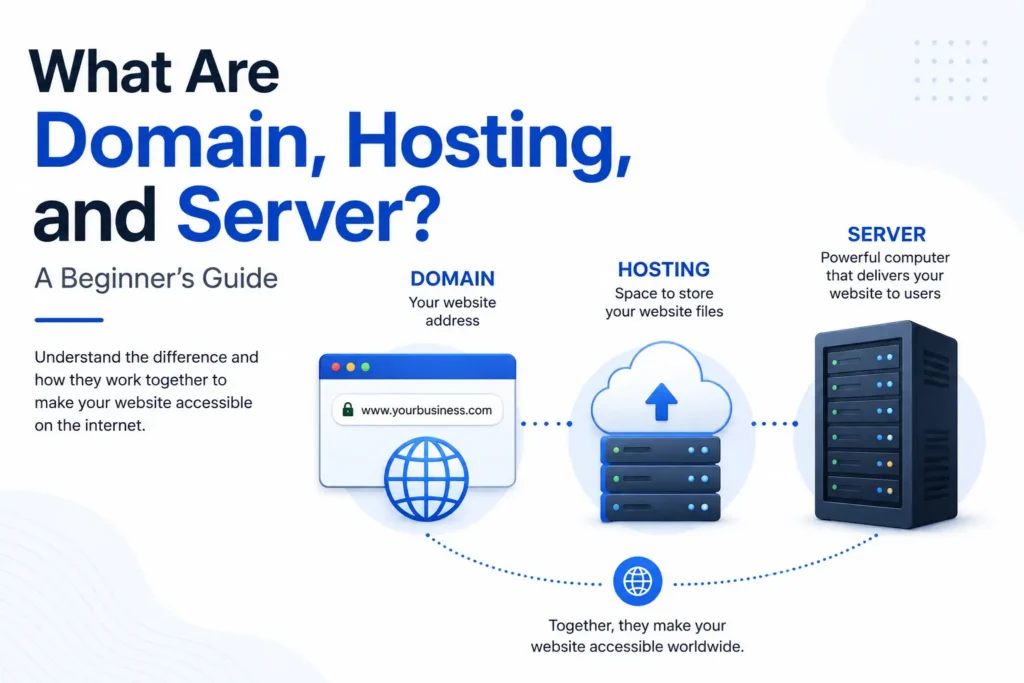
If you’re planning to build a website, you’ve probably come across three common terms: domain, hosting, and server. These terms are closely related, but they are not the same thing. Understanding the difference will help you make better decisions when creating a website, whether it’s for a personal project, a company profile, an online store, […]

Getting Started with Neon: Serverless PostgreSQL Made Simple

If you’ve ever set up a PostgreSQL database the traditional way, you know the routine: provision a server, install Postgres, configure users and permissions, set up backups, and hope you don’t forget to scale it when traffic spikes. Neon changes that story. It’s a serverless, fully managed PostgreSQL platform that lets you go from zero […]

3 Filament Features I Wish I Knew About Sooner

When I started building admin panels with Filament, I did what most beginners do: I made a Resource, filled in the form fields, and called it done. It worked, but it also meant I was writing a lot of extra code for things Filament could already handle for me. Here are three features that quietly […]


Project description.

Built a private marketplace research and purchase planning platform for Shopee. The system tracks product performance over time, estimates sales velocity and gross revenue, analyzes demand across product variants, and turns the research into actionable purchasing plans. It also calculates supplier costs, shipping, platform fees, margins, planned investment, and estimated earnings to support data-driven sourcing decisions.

Skills and deliverables

Full-Stack Development, Web Application Development, Data Analysis, Business Process Automation, Business Intelligence

Shopee Marketplace Research & Purchase Planning Dashboard

We built this application to solve a common problem in marketplace sourcing: finding products is easy, but deciding what is actually worth buying, which variant to prioritize, and how much inventory to purchase requires much more analysis. Instead of relying on a single product snapshot, the system organizes products into research collections and tracks their marketplace performance over time.

Product research & tracking

Products can be added individually or collected from marketplace stores and organized into dedicated research collections. The system keeps historical observations so users can compare changes between captures instead of relying only on the latest marketplace data. This makes it possible to estimate metrics such as: – Sales velocity – Estimated daily gross revenue – Price changes – Product movement over time – Variant-level demand

Variant demand analysis

One of the most important parts of the system is identifying which variants are actually driving sales. Instead of treating a product as a single item, the application analyzes sales movement at variant level and shows each variant’s contribution to recent demand. This helps identify which sizes, models, or variations should be prioritized when purchasing inventory.

Purchase planning

Research data can then be converted directly into a purchasing plan. For every product and variant, the user can enter supplier pricing, shipping costs, purchase quantities, exchange rates, and other operational costs. The system automatically calculates: – Planned inventory investment – Shipping cost – Marketplace/platform fees – Net margin per unit – Net margin percentage – Estimated earnings – Total batch investment This allows purchasing decisions to be evaluated before committing capital.

Why We built it

The goal was to replace a workflow that would normally require multiple spreadsheets, manual marketplace checks, and repeated calculations. The resulting workflow became: Discover products → Track performance → Analyze demand → Select variants → Plan purchasing → Estimate margins Everything is kept in one application, making the research and sourcing process easier to review, repeat, and scale.

Result

The platform turns raw marketplace observations into actionable purchasing information. Instead of choosing products based only on intuition or current sales numbers, users can evaluate sales movement, variant demand, sourcing cost, expected margin, and required investment before making a purchasing decision. Built as an end-to-end internal tool, from data collection and analysis to the final purchasing workflow.

Project description.

Built a browser-based tool that converts Shopee/SPX order exports into clean, print-ready shipping labels. It supports multiple Excel/CSV files, combines orders into one preview, and automatically generates QR codes, barcodes, tracking numbers, and product information for 68 mm thermal printers. All order data is processed locally in the browser for better privacy, eliminating repetitive manual label formatting.

Skills and deliverables

Laravel, Business Automation, CSV, Microsoft Excel

Shopee SPX Order Label Maker for Thermal Printing

This tool was built to simplify the shipping label preparation process for Shopee SPX orders. The existing workflow required order data to be exported from Shopee and manually formatted before it could be printed on a thermal printer. This became repetitive and time-consuming, especially when processing multiple orders at once.

We built a browser-based label generator that reads Shopee Excel/CSV exports and automatically converts the order data into clean, print-ready SPX labels. The tool automatically handles: – Tracking numbers – QR codes – Barcodes – Product names and variants – Order quantities – Multiple order files at once – 68 mm thermal printer formatting Users can review all generated labels before printing, without having to manually copy or reorganize the order information.

The order files are processed directly inside the browser instead of being uploaded to a server. This keeps customer and shipment data private while also making the tool fast and simple to use.